Financial queries and card reconciliation
Query spending categories, cash flow and investment records, or preview matches for an external credit card statement. Results depend on the currently loaded ledger.

Local-First · Cross-Platform Personal Finance Hub
No login required, local-first. Manage expenses and net worth, with macOS MCP tools for your AI agent.







Use Model Context Protocol (MCP) with an agent that supports local HTTP MCP to query GuGuFin records, organize financial reports, reconcile credit card statements and prepare write proposals.
Query spending categories, cash flow and investment records, or preview matches for an external credit card statement. Results depend on the currently loaded ledger.
The MCP endpoint runs on your Mac. Tool results go to your chosen agent and may be processed by its cloud AI provider. Ledgers with iCloud enabled also sync through Apple.
Writes start as proposals. Your agent should show the complete details and obtain explicit approval before calling the confirmation tool. Missing accounts, amounts or dates require clarification.
Analyze my dining expenses last month and list the unrealized P&L of my US stock portfolio.
get_category_breakdown & get_investment_activity Financial Analysis Report Ready:
Illustrative data; actual results depend on your ledger and AI client.
GuGuFin is more than a bookkeeping tool — it connects daily spending, balance sheet, investments, and long-term planning into one coherent flow.
Income, expenses, bill splits, credit card reconciliation, and statement imports in one place. Capture quickly, organize cleanly.
Bring cash, stocks, mutual funds, crypto, precious metals, cards, and receivables into a unified view for crystal-clear net worth tracking.
Manage consumption and investment projects with budgets, recurring periods, and conditional statistics to turn goals into progress bars.
From cashflow breakdowns to balance sheets, XIRR returns, and FIRE calculators — master past performance while charting future milestones.
Here is the full landscape of core capabilities provided by GuGuFin, from data logging to long-term wealth planning.
Supports General, Stocks, Cash, Crypto, Funds, Credit Cards, Receivables, and Metals in one unified net worth dashboard.
Cashflow breakdowns, tag analytics, balance sheets, asset allocation, P&L, XIRR performance, and FIRE calculators reveal deep financial trends.
Expense projects, investment projects, recurrence, conditional stats, budgeting, stop-loss/take-profit, and asset tracking.
GuGuFin requires no login. Data lives on your device with optional password-encrypted backups — your sovereign financial hub.
Sync ledgers across iPhone, iPad, and Mac, and invite other Apple users to share the same ledger.
Learn about sync and sharing →Bookkeeping remains essential as the foundation of your personal financial hub. Here is how GuGuFin streamlines daily tracking.
Quickly log salary, side gigs, dividends, bonuses, and other income to maintain transparent cashflow records.
Record daily spending, reimbursements, travel, and shopping, then organize them with tags and visual charts.
Split shared meals or group travel expenses into receivables, keeping track of who owes what effortlessly.
Reconcile statements against existing transactions to spot missing expenses or double charges before paying.
Practical guides covering double-entry accounting, balance sheets, and next-gen MCP AI bookkeeping.
Bookkeeping is more than just tracking how much you spent today. From daily cashflow and balance sheets to long-term financial planning, build a sustainable personal finance system that lasts.
Read Article → Part 2 · Credit Cards & ReconciliationLearn how to reconcile credit card payments without counting an expense twice. Record purchases as expenses and card bill payments as transfers, with a clear example.
Read Article → Part 3 · Assets & LiabilitiesNet Worth equals Total Assets minus Total Liabilities. Learn which items belong on your personal balance sheet, common valuation mistakes, and how monthly tracking clarifies your true financial trajectory.
Read Article → Part 4 · AI & MCPSet up GuGuFin’s local HTTP MCP Server with an endpoint and Bearer Token. Query personal finance records, preview credit card matches and review write proposals.
Read Article →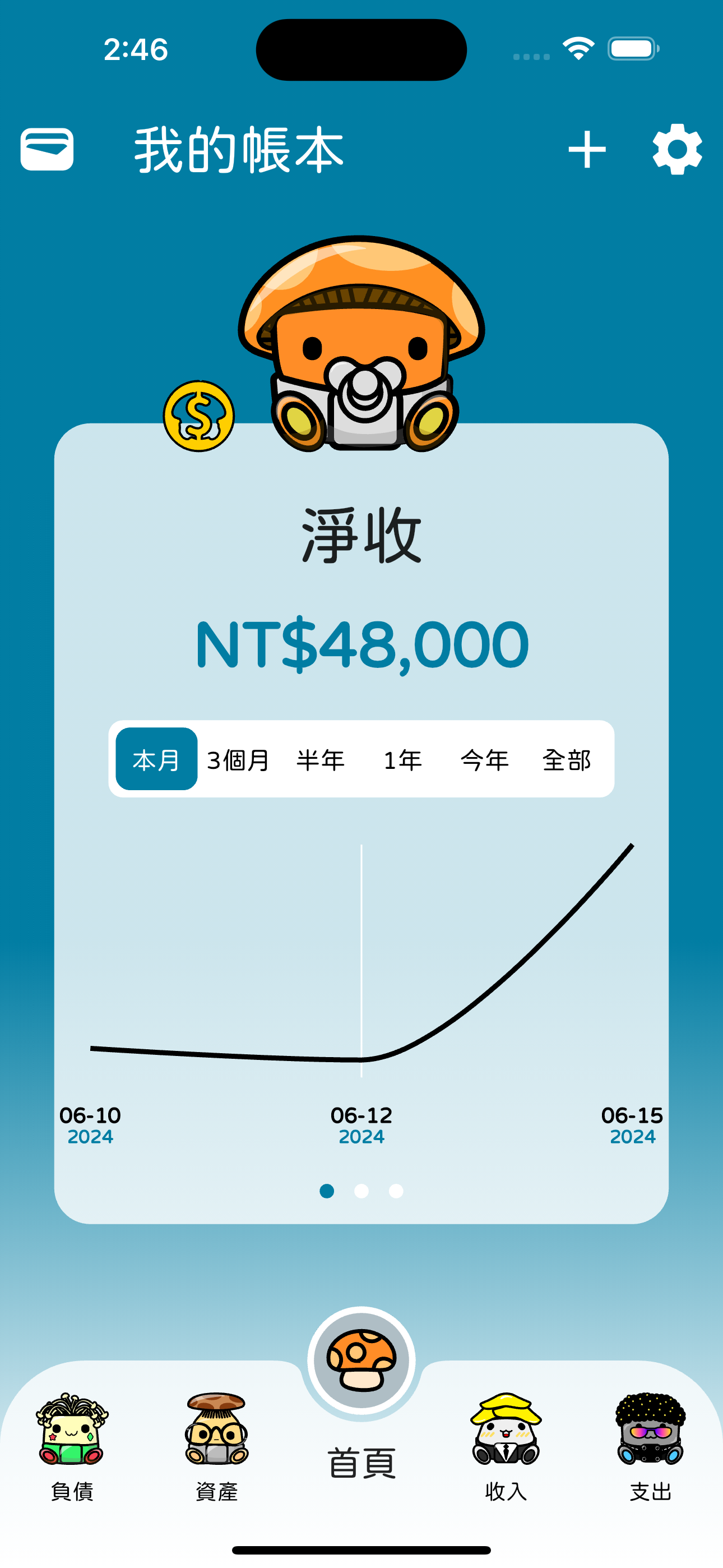
GuGuFin is a local-first personal finance hub combining daily bookkeeping, balance sheets, investment tracking, reports, and FIRE planning in one unified app.
GuGuFin for macOS provides a local MCP Server. Clients supporting local HTTP MCP and Bearer Token authentication can query records and prepare write proposals. See the MCP page for setup and limitations.
Local storage does not mean AI processing is offline. MCP tool results go to your selected agent and may reach its cloud AI provider. iCloud sync is optional; writes follow a proposal and explicit approval flow.
Cash, stocks, mutual funds, cryptocurrency, precious metals, credit cards, and accounts receivable.
Cashflow breakdowns, tag charts, balance sheets, asset allocation charts, P&L statements, XIRR returns, and FIRE calculators.
Track spending or investment goals across specific timeframes, cycles, budgets, conditional filters, and asset monitoring.
By prioritizing privacy: local storage, zero mandatory login, and minimal necessary network interactions.
Backups can be encrypted with your custom password, ensuring security when storing or transferring your data.
Special thanks to our service providers for keeping exchange rates and data updates reliable.
Follow our social channels for feature updates, product insights, and user discussions.